NewAutomatic Game Mode
Optimization thatunderstands your PC.
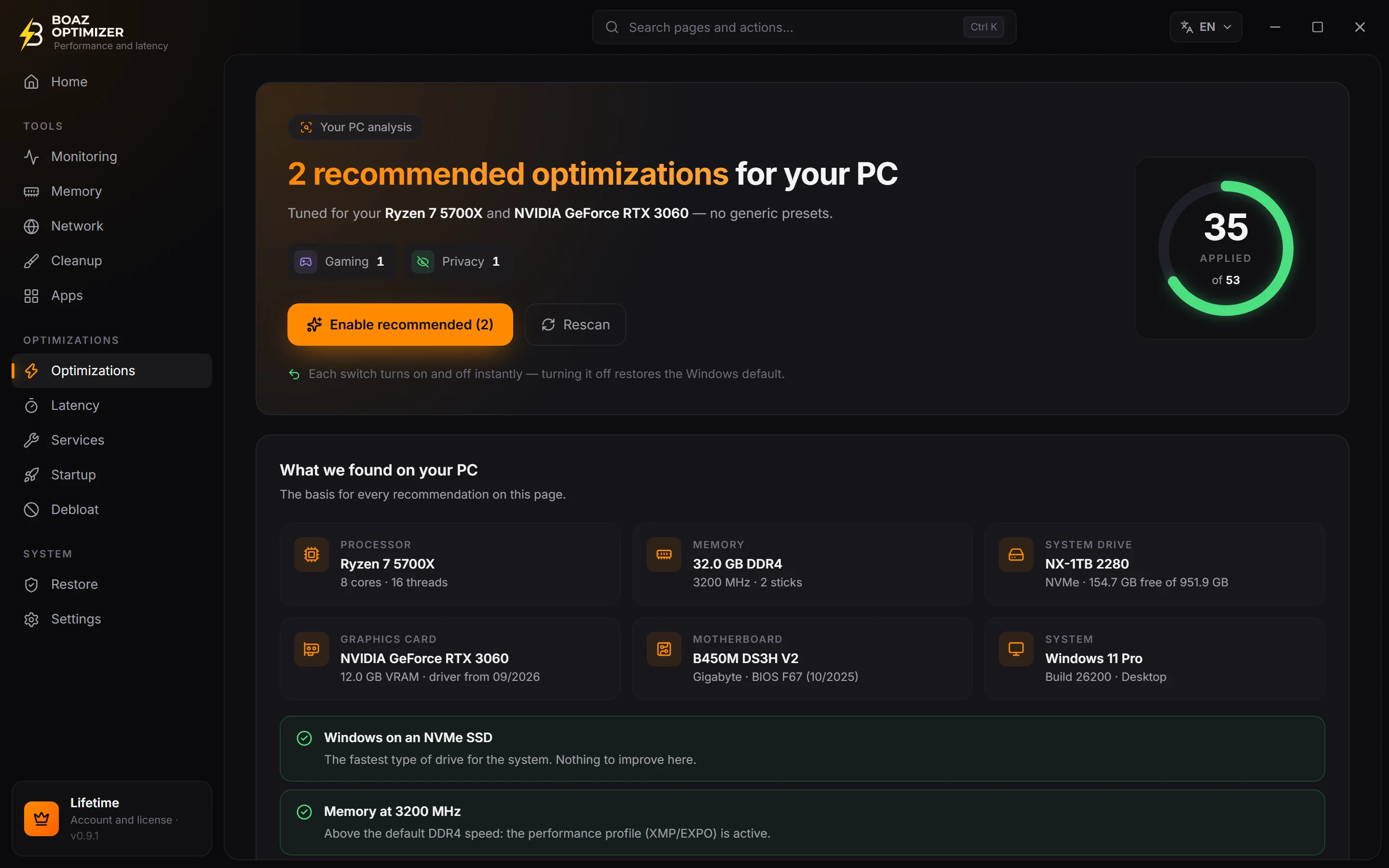
BOAZ reads your CPU, memory, drives and graphics card before suggesting any tweak. What helps your machine goes in; what could make it worse stays out — and every optimization goes back to Windows defaults in one click.
- Free to start
- Analysis before any tweak
- Undo anytime
BOAZ·Machine analysis
analyzing
- Processorreading…
- Memory—
- Storage—
- Graphics card—
- Windows—
Result · 53 optimizations
0
go into 1-click
0
your call
0
left out
90+
tweaks in the catalog, each one explained
6
machine analysis stages before any recommendation
71
catalog tweaks unlocked on the free plan, forever
72 h
of free PRO to try everything before deciding
Game Mode recognizes30+ games by name — plus any game installed through Steam, Epic, Xbox, EA, Ubisoft, GOG, Riot, Amazon or Rockstar.
- Counter-Strike 2
- VALORANT
- Fortnite
- League of Legends
- Apex Legends
- GTA V
- Roblox
- Minecraft
- Rainbow Six Siege
- PUBG: Battlegrounds
- Dota 2
- Overwatch 2
- Call of Duty
- Rocket League
- Marvel Rivals
- EA SPORTS FC
- Deadlock
- THE FINALS
- Escape from Tarkov
- Elden Ring
- Cyberpunk 2077
- Genshin Impact
- Honkai: Star Rail
- Zenless Zone Zero
- World of Warcraft
- Diablo IV
- Hearthstone
- Path of Exile
- Destiny 2
How it works
First it understands. Then it optimizes.
An optimizer that applies the same list to every PC can make a modest machine slower. BOAZ does the opposite: it looks at what's inside and decides tweak by tweak.
- 01Analysis
Reads your machine
In six stages, BOAZ identifies your processor, memory, drives, graphics card, motherboard and Windows version — all read on your PC, right then.
- Processor
- Memory
- Drives
- Graphics card
- Motherboard
- Windows
- 02Decision
Decides tweak by tweak
Every optimization gets a verdict with the reason in plain English: it goes into 1-click, it's left for you to choose, or it stays out because it would make your PC worse.
- Disable Core ParkingApplies
- Disable hibernationYour call
- Disable memory compressionLeft out
- 03Apply
Applies with a way back
Apply everything in 1 click or one by one. Any optimization goes back to Windows defaults in one click, and the app warns you if an update undoes something.
- Windows restore point on first launch
- Registry backup before batch changes
- A back-to-default switch on every tweak
In practice
Same click, different results.
Pick a machine and see what BOAZ decides for it. These are the real verdicts from the app's recommendation engine — with the reasons it shows you.
Result for
53 optimizations
Entry-level PC
20
go into 1-click
21
left for you to choose
12
left out
Ultimate Performance power plan
AppliesRemoves the power-saving features from your Core i5-3470: the processor doesn't lower its clock between frames.
Hardware-accelerated GPU scheduling (HAGS)
Doesn't applyYour NVIDIA GeForce GT 730 doesn't support HAGS — it requires a GeForce GTX 10 or Radeon RX 5000 series or newer. Windows ignores this tweak on it.
Disable Fast Startup
Your callYour Windows is on an HDD: Fast Startup is what lets it boot in seconds. With it off, every boot starts clean, but the PC takes much longer to start.
Disable memory compression
Left outWith 8 GB, compression is what keeps Windows from using the disk when memory fills up. Turning it off makes the PC slower, not faster.
Lightweight visual effects
AppliesYour PC has 4 threads and 8 GB of memory: transparency and animations cost CPU and GPU power this PC can't spare.
Disable Core Parking
AppliesKeeps the 4 cores of your Core i5-3470 always ready, with no delay to "wake up" a core mid-match.
Disable last-access timestamps (NTFS)
AppliesYour Windows is on an HDD: every file read also turned into a write on the slowest drive in the PC. Turning this off takes that work off it.
Disable hibernation and free up space
Your callFrees about 3 GB on the drive, but also turns off Fast Startup — and with Windows on an HDD, the PC takes much longer to boot.
Eight of the 53 optimizations, for comparison. On your PC, the analysis uses your hardware. On the Free plan, 1-click applies only the free optimizations.
Inside the app
Everything in one place, explained.
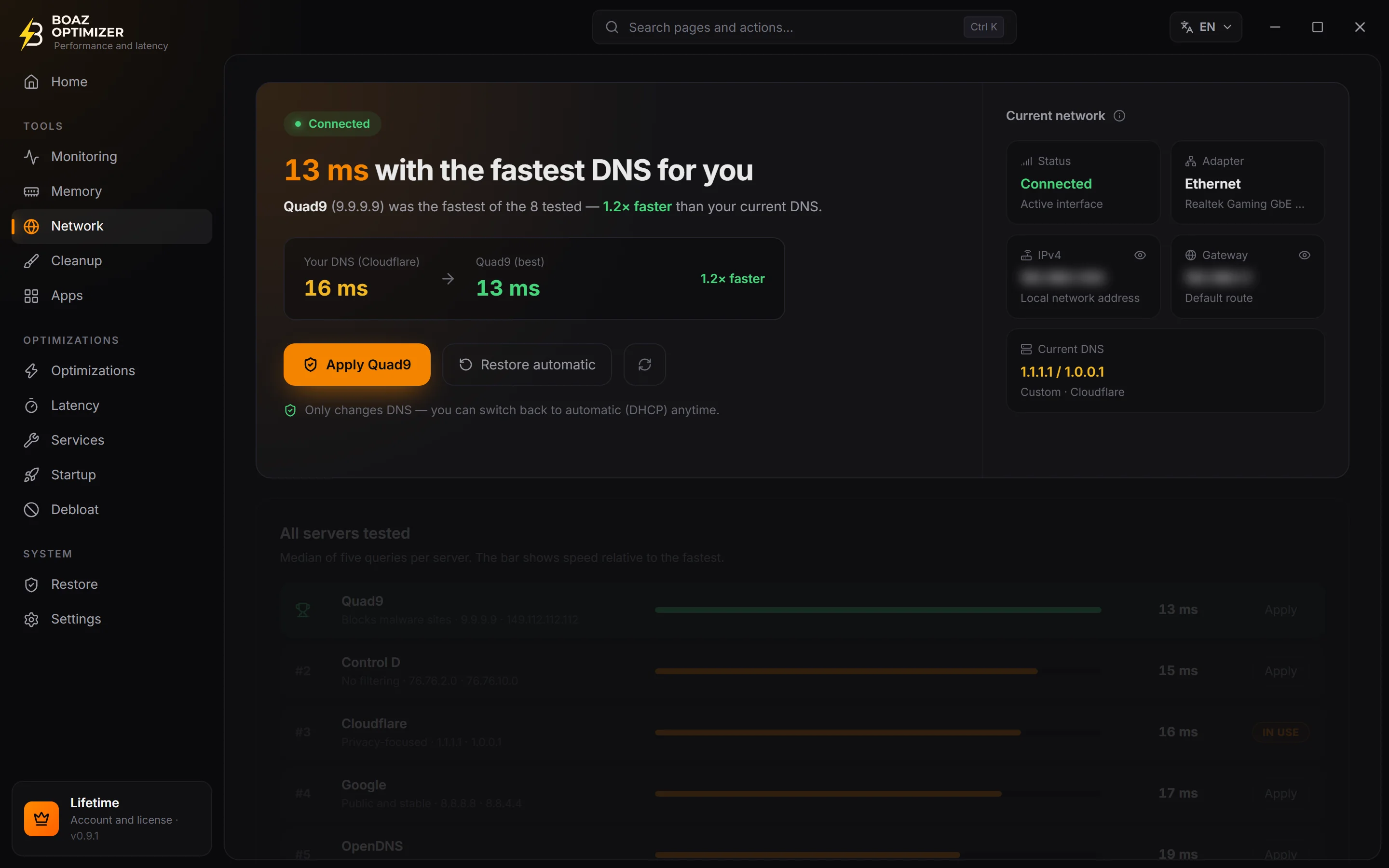
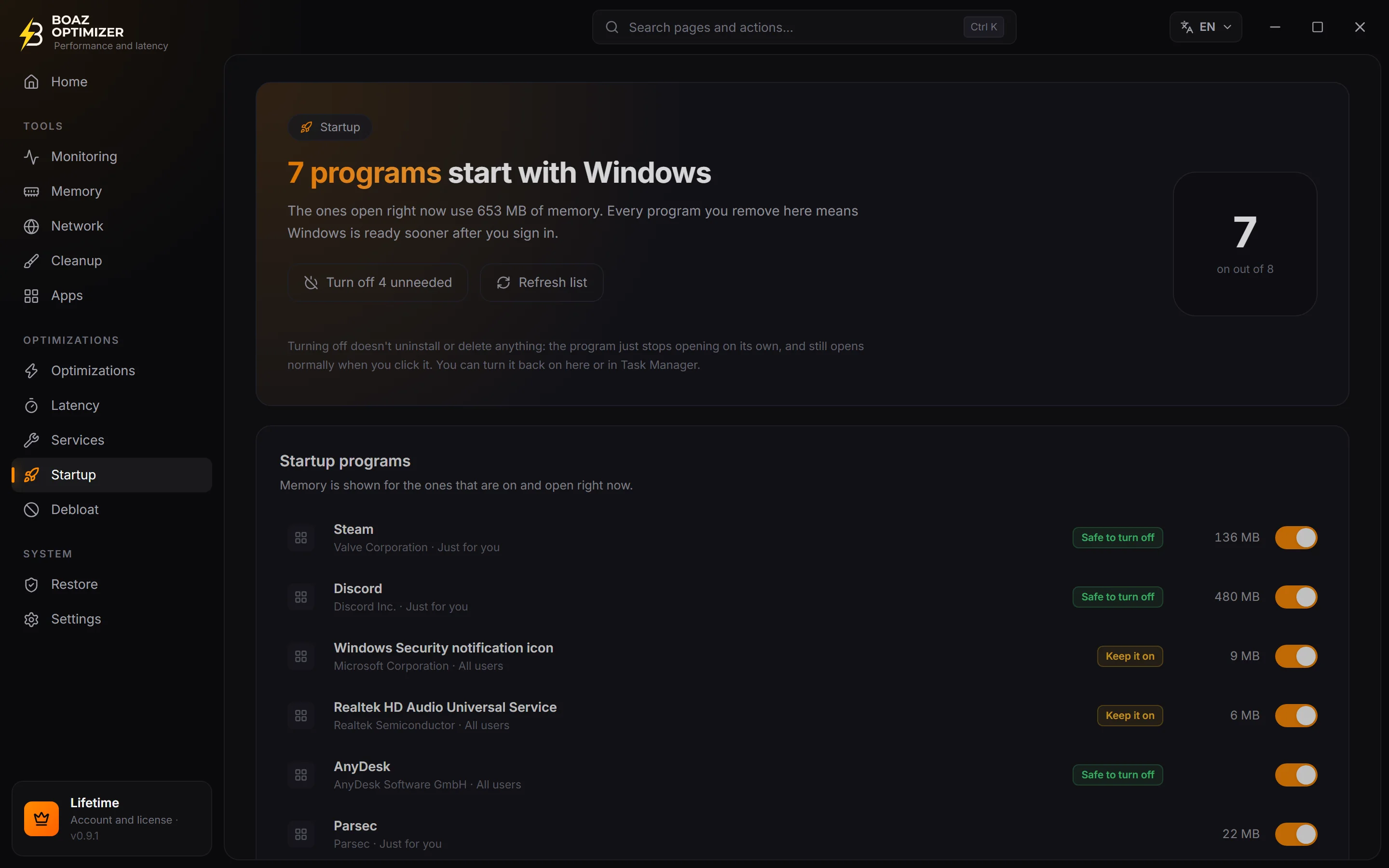
Real BOAZ OPTIMIZER screens. No unexplained jargon: every tweak says what it does and why it suits your PC (or doesn't).
01 / 06
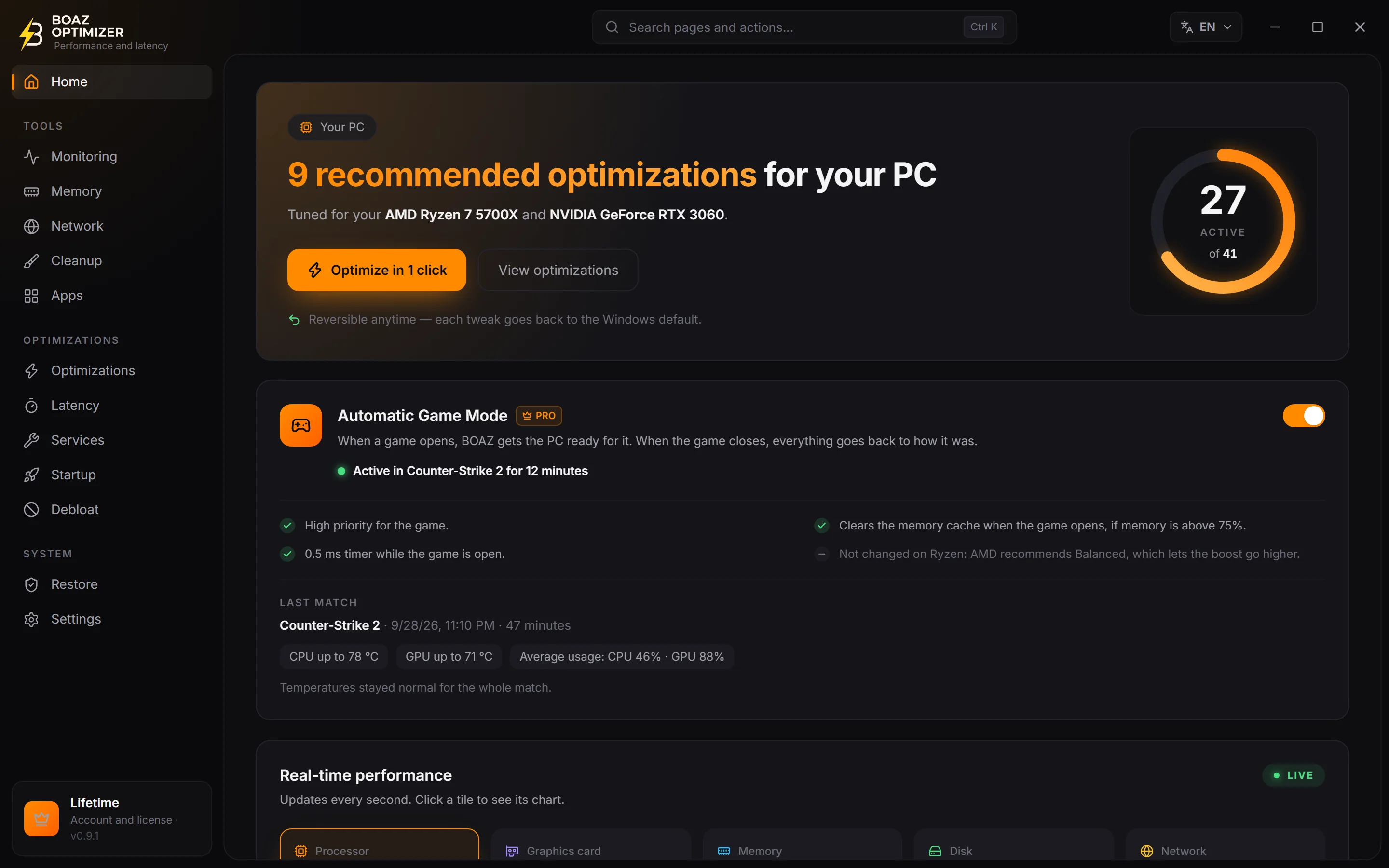
The essentials on one screen
The optimizations recommended for your PC, the 1-click button, Game Mode and live performance.
- Optimize in 1 click, tuned to your hardware
- Last match summary: temperatures and usage
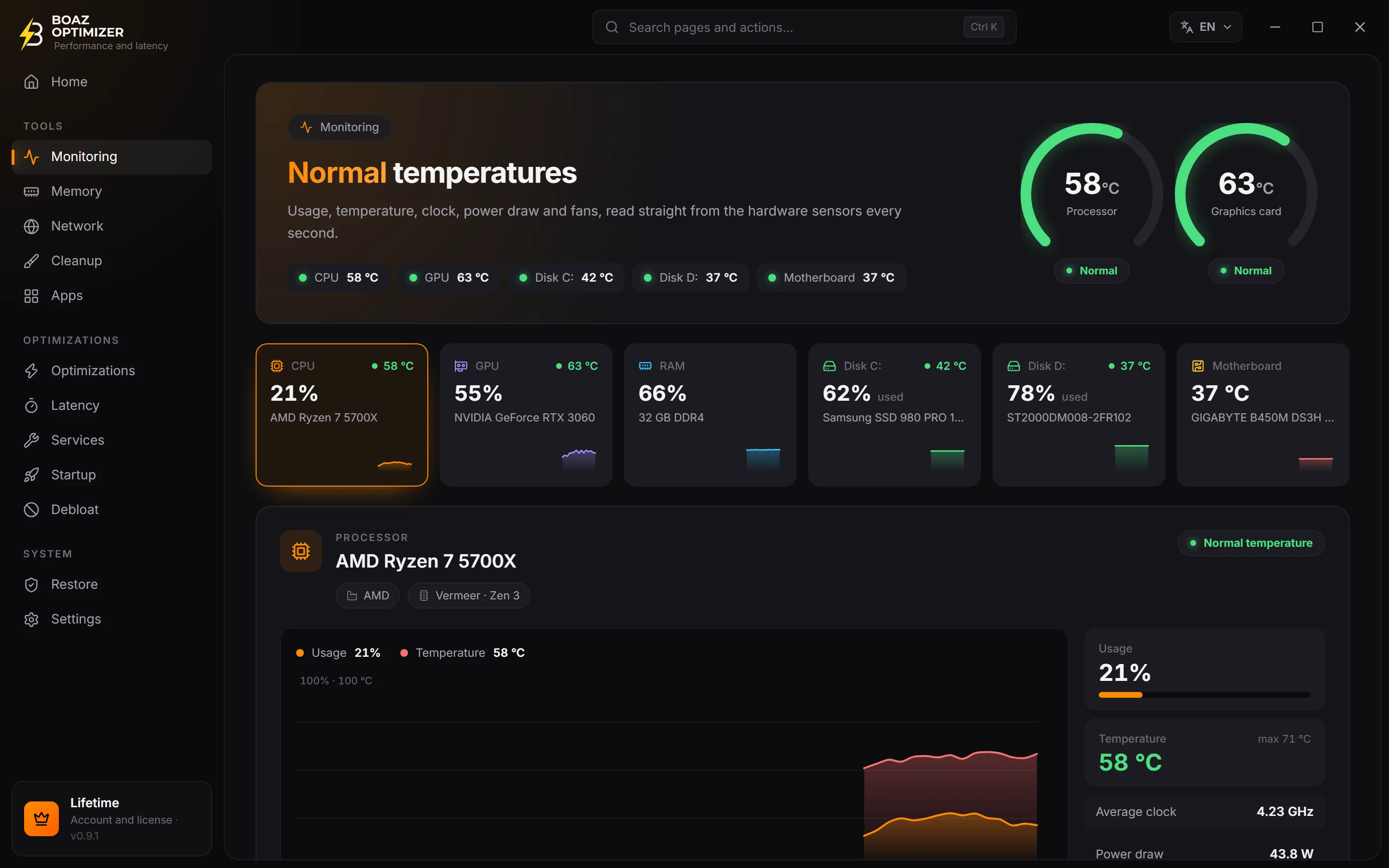
- CPU, GPU, memory, disk and network in real time
Features
Built for gaming. And for everything else.
Tools you'd otherwise need five different programs for, in a single app — all speaking the same language: your hardware's.
Automatic Game Mode
PROWhen a game opens, BOAZ gets the PC ready for it. When it closes, everything goes back to how it was. No windows, no pop-ups mid-match.
Counter-Strike 2
cs2.exe
- Game detected (Steam, Epic, Riot and more)
- Higher priority for the game
- 0.5 ms timer during the match
- Memory cache cleared if above 75%
- Game closed: everything back to normal
Live monitoring
Temperature, usage and health of every part. With PRO, a discreet alert when something goes past its limit.
Graphics card
73 °C
alert above 88 °C
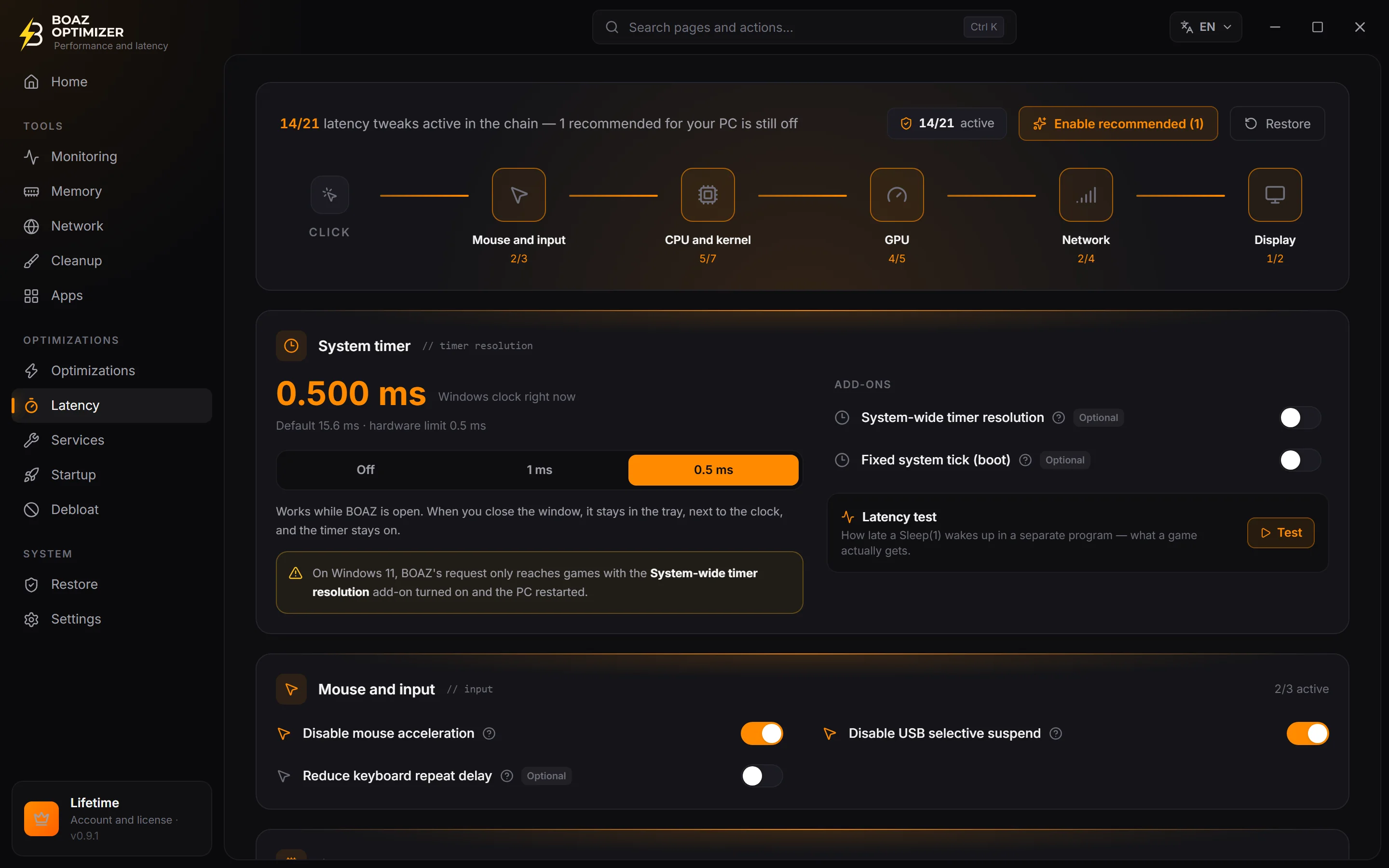
High-resolution timer
PROThe Windows clock ticks every 15.6 ms. With BOAZ, as low as 0.5 ms while the app is open.
Windows default15,6 ms
With BOAZ0.5 ms
Connection to your games
Ping, jitter and packet loss to the servers, measured from your PC.
Valve · Atlanta18 ms
AWS · N. Virginia22 ms
Valve · Washington27 ms
Valve · Los Angeles64 ms
sample values
Clean startup
See what opens with Windows and turn off what only weighs it down.
Realtek Audio
12 MB · keep it on
Steam
95 MB · safe to turn off
Spotify
140 MB · safe to turn off
Match summary
PRODone playing? See how hot your CPU and graphics card got.
Last match
Counter-Strike 2 · 47 min
CPU up to 78 °CGPU up to 71 °CAvg. usage: 46% · 88%
Normal temperatures the whole match
Watching Windows Update
Windows updates sometimes undo tweaks. BOAZ notices and offers to apply them again.
Windows undid 3 optimizations
- · Disable mouse acceleration
- · Lightweight visual effects
- · Disable Fast Startup
Apply againLeave as is
Optimizations in your account
PROReinstalled Windows or got a new PC? Sign in and restore — with the new PC analyzed first.
27 optimizations saved
from DESKTOP-GAMER · yesterday
Restore on this PC?Restore
And also
Cleanup
Temp files, Windows Update cache, thumbnails and more. With PRO, Auto Cleanup runs on its own every 15, 30 or 60 minutes.
Memory
See what's using your RAM and free the cached memory without restarting — also from the tray icon.
Debloat and privacy
Remove apps that come with Windows and turn off telemetry, Start menu suggestions, Bing and Copilot.
Windows services
Services explained one by one, showing only the ones that exist on your PC.
Restore points
Create and restore Windows restore points without digging through Control Panel.
Apps
Install popular programs through WinGet, Microsoft's official installer.
Safety
Built to never make things worse.
Tweaking Windows blindly is the fastest way to make a PC worse. That's why BOAZ has a safety net at every step — and no optimization goes in without your click.
Analysis comes first
No recommendation goes out without being checked against your PC's processor, memory, drives and graphics card.
Every optimization has a way back
Every optimization has a switch back to Windows defaults. Nothing to reinstall.
Registry backup
Before applying several at once — like with Optimize in 1 click — BOAZ saves a Registry backup.
Nothing hidden
No third-party ads and no trackers. The app doesn't touch game files or game memory.
The path of every optimization
Restore pointfirst launch
The app creates a Windows restore point the first time it opens. After that, you create more whenever you like.
Machine analysisbefore suggesting
Six stages: processor, memory, drives, graphics card, motherboard and Windows.
Registry backupbefore batches
Optimize in 1 click, enable recommended or re-apply: backup first, changes second.
Only what was recommendedon your click
1-click applies only what the analysis recommended. The rest is up to you.
Back to defaultanytime
Turn the switch off and the optimization goes back to Windows defaults.
Pricing
Start free. Go PRO whenever you want.
The free plan never expires and already includes the full analysis. PRO unlocks the strongest optimizations and the automatic features.
Free
To get started and see what your PC needs.
R$0forever
- Full machine analysis
- Optimize in 1 click, with the free optimizations
- Temperature and hardware health monitoring
- Cleanup, memory, startup and services
- Connection test to game servers
- Debloat and privacy
PRO Monthly
30 days of PRO. No auto-renewal.
R$19.90/ 30 days
- Everything in Free
- +26 PRO optimizations: power, timer, GPU and network
- Automatic Game Mode and match summary
- 0.5 ms timer and Auto Cleanup
- Temperature alerts
- Optimizations saved to your account
PRO Lifetime
Pay onceEverything in PRO, no monthly fee.
R$99.90one-time payment
Costs the same as 5 months of Monthly
- Everything in PRO Monthly, forever
- No monthly fee, no renewals
- All updates included
- Secure payment through Mercado Pago
- Your key shows up on screen as soon as payment is approved
- 7 days to change your mind, with a full refund
- 1 license = 1 PC — new PC? Support transfers it
Prices in Brazilian reais (BRL).
Try PRO free for 3 days
Join the BOAZ Discord server, link Discord to your app account and tap Free trial. Once per account, per PC and per Discord account. When it ends, PRO optimizations go back to Windows defaults and Free ones stay as they are.
PRO unlocks everything in the same app — there's no separate version to download.
Community
Support from real people, on Discord.
Questions, ideas or problems: talk to us on the BOAZ server. It's also where the free PRO trial comes from.
Direct support
Get answers from the people who build the app.
News
Every new version is announced on the server.
Your idea in the app
Suggest features straight to the developer.
Free PRO trial
72 hours of PRO for server members.
You've been invited to join a server

BOAZ OPTIMIZER
Official BOAZ OPTIMIZER server
Free. Takes 10 seconds.
FAQ
Frequently asked questions.
Straight answers — even when the answer is “it depends”.
It depends on the PC, and we don't promise numbers. BOAZ clears what gets in the way of games: aggressive power saving, background recording, a slow timer, programs starting with Windows. On many PCs that makes games smoother and more responsive; on a PC that's already well tuned, the difference can be small.

Your PC, tuned to measure.
Download for free, let BOAZ analyze your machine and decide at your own pace. No optimization goes in without your click.
Version 1.0.1 · Windows 10 and 11 · 64-bit